15. Hang a Rope with Strands
Simulate a Curve as a rope, pin its ends, and compare the Rope and Cable presets.
Create the Strands scene
Start with a new Blender file and Start with Lists. Delete the default cube, keep one Emitter, and set 24 fps, frames 1–72, Substeps 4.
Strands simulates the points along a Curve source. Each spline becomes a strand. This lesson uses one open spline; closed loops do not have open tips to pin.
Prepare an arched Curve
- Add a Bezier Curve at the origin with zero rotation and unit scale. Name it
Strand Sourceand set its Curve Dimensions to 3D. - In Edit Mode, select both control points and Subdivide once to obtain three points. Select each control point's center individually and enter its coordinates in Sidebar > Item, in spline order:
(-2.4, 0, 3),(0, 0, 4.6), and(2.4, 0, 3). The object remains at the origin, so these are also world-space positions. - Select all three points and use Set Handle Type > Automatic. Set each point's Radius to
1. - In Curve data, set Resolution Preview U to
24. Keep Bevel Depth0and leave the spline open. This source is sampled into49simulation points at Full Segment Resolution. - Add a UV Sphere named
Sphere Collider, Radius0.85 m, Location(0, 0, 0.85), with64segments and32rings. Apply Scale and use Shade Smooth. - Add a cube named
Ground, Dimensions(12, 12, 0.3), Location(0, 0, -0.15). Apply Scale.
The arch provides more length than the straight distance between its ends. That extra length lets the rope sag after release. A straight, tightly stretched source will not create the same hanging shape.
Configure Strands
- Set the Emitter Type to Strands and assign Strand Source in Curve Sources. Set Start Frame
1, Initial Velocity(0, 0, 0), and Display: Geometry. - Select the Rope preset. It sets Radius
0.025 m, Density1, Damping0.05, Stretch Stiffness0.995, Bending Stiffness0.72and Twist / Torsion0.55. - After choosing the preset, set Pin Points: Roots & Tips, Pin Strength
1. Leave Attach To empty. Rope starts with free ends, so this step is required. - Keep Segment Resolution: Full, Guide Density: Full, Solver Quality
8, and Collision Friction0.25. Leave Spatial Maps empty. - Disable Self Collision, Particle Interaction, Deformable Interaction, Breakage and Pyro Interaction for this exercise.
- Add Gravity, Force
(0, 0, -9.81), with Strands enabled. Add separate Collision effects for Ground and Sphere Collider, also with Strands enabled. Use Bounciness0, Friction0.35, and otherwise default Collision controls. - Replay sequentially from frame
1to72.
The point radius is a multiplier for the Emitter's Radius. With point radii 1, the Rope preset uses its full 0.025 m radius for both visible thickness and strand contact. The generated output is Blender Curves; no Trails post effect is needed.
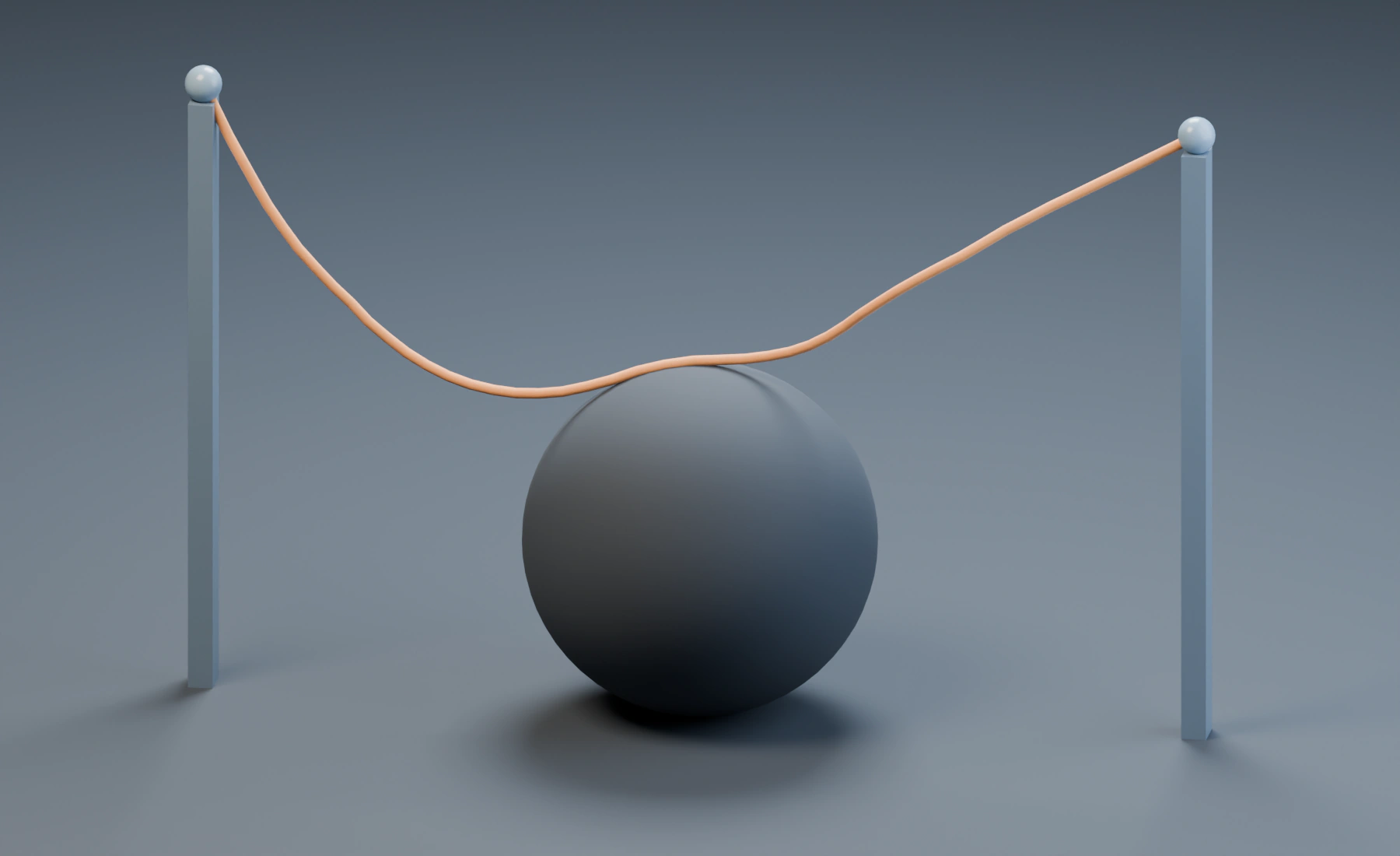
Pinned endpoints and moving rope
The endpoints stay at (-2.4, 0, 3) and (2.4, 0, 3), while the middle moves under gravity. Observe the replay to see the rope encounter the obstacle. Save as 15-strands.blend.
Pin Points follows the animated source. Attach To is a different workflow for following a separate animated mesh; it is not needed to fix the ends in this exercise.
Optional: compare Cable
Choose the Cable preset, then set Pin Points: Roots & Tips again. Replay from frame 1 with the same curve, colliders and timeline.
| Setting | Rope | Cable |
|---|---|---|
| Radius | 0.025 m |
0.018 m |
| Density | 1 |
1.2 |
| Damping | 0.05 |
0.07 |
| Stretch Stiffness | 0.995 |
1 |
| Bending Stiffness | 0.72 |
0.88 |
| Twist / Torsion | 0.55 |
0.82 |
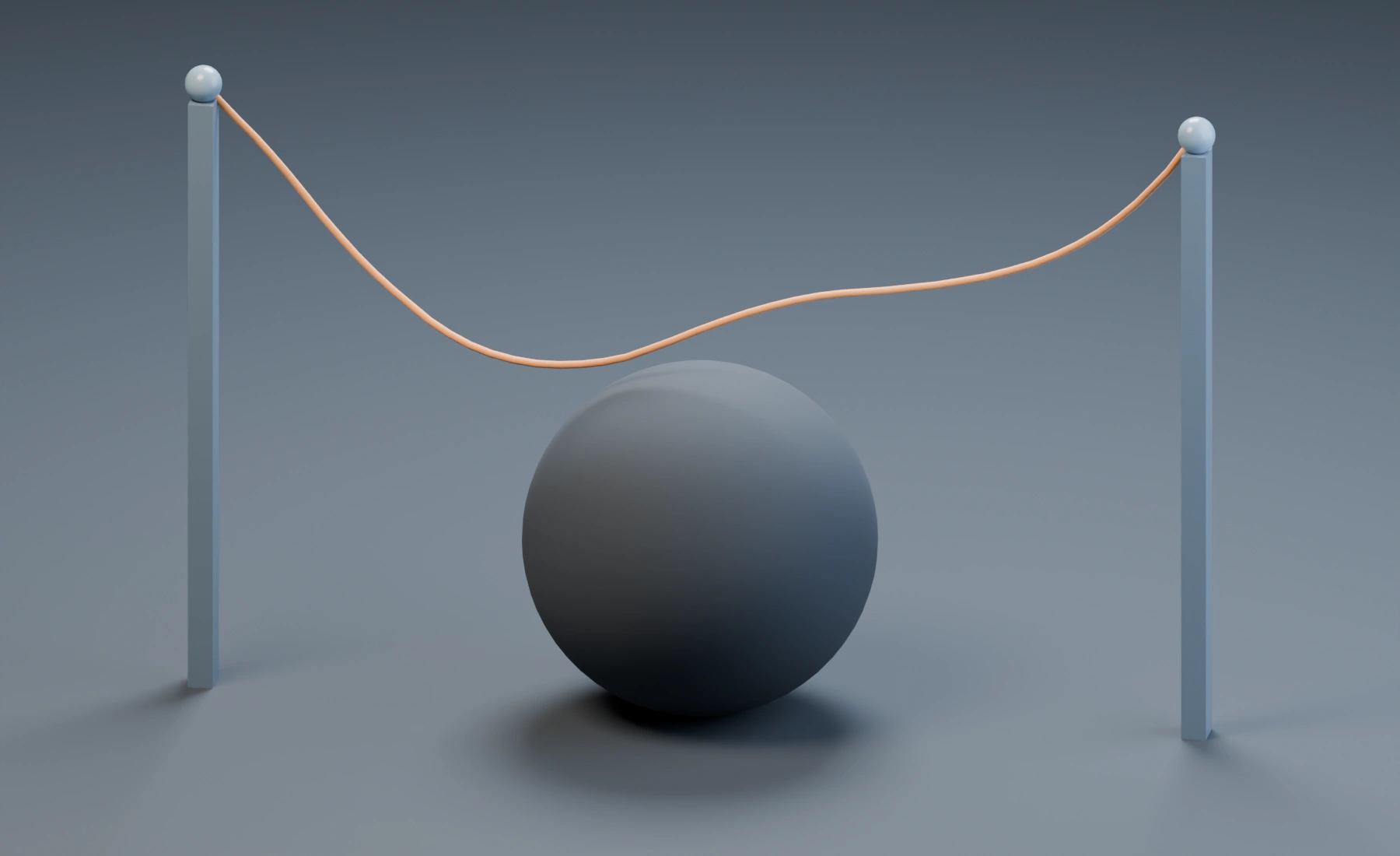
Cable changes several settings together. To compare Bending Stiffness on its own, start with Rope, switch the preset to Custom, then change only that control. Reapply Roots & Tips after selecting a material preset because the preset also sets the pin mode.
Segment Resolution reduces points along a strand. Guide Density reduces the number of simulated guides in a multi-spline source; leave it at Full for this one-spline scene. Reduced simulation still drives the detailed visible curves. Reset after changing curve topology or either resolution control.
Build the same setup in Nodes
- Connect Curve Source / Source to Emitter / Sources, assign Strand Source, and set Type: Strands.
- Route Emitter / Particles through Gravity and both Collision nodes to Simulation Output / Particles. Enable Strands on the effects.
- Connect Emitter / Geometry directly to Simulation Output / Geometry. Set the preset and pins on the Emitter.
Lists and Nodes keep separate settings. Particle Masks and Data Mapping do not vary the Strand material. Use Curve point attributes through Spatial Maps, or Deformable Map in Nodes, when extending the exercise.
Troubleshooting
- The whole rope falls: check Pin Points after selecting the preset; it may have reset to None.
- The rope hardly sags: check the initial arch and available length before lowering stiffness.
- Thickness differs along the rope: inspect the source point radii and any Radius Map.
- Contact misses the sphere: check the Collision object and Strands domain, then replay from frame 1.
- The strand looks angular: check source curve resolution and Segment Resolution. Radius alone does not add points along the curve.
Reference: Strands.