Logic: Controlled Release
Freeze particles as they are born, then release a stable random subset only while it is inside a movable spatial region.
Use two Logic effects: the first freezes each particle at birth, and the second checks the release mask on later frames and unfreezes matching particles.
Reference setup
Use 24 fps, Substeps 4, and play frames 1–120. Evaluation order: Birth Freeze → Masked Release. In Lists, Birth Freeze is lower in the visible Effects list; in Nodes, connect it first.
Use Volume Fill: Density for the Volume source so Rate determines the initial particle count.
| Part | Settings |
|---|---|
| Volume source | Box 4 × 0.6 × 0.6 m, centered at the origin |
| Emitter | Rate 12,000 /f, Start Frame 1, Duration 1, Lifetime 240 frames, Radius 0.012 m |
| Initial Velocity | (0, 0, 1.5) |
| Birth Freeze | If Born This Frame, Freeze, Velocity Keep |
| Release Empty | Sphere at (-4, 0, 0) on frame 1, (4, 0, 0) on frame 90, scale (0.8, 0.8, 0.8) |
| Sphere mask | Release Empty, Falloff 0 |
| Random mask | Integer, Threshold 0.5, Seed 17, Multiply with Sphere |
| Release condition | Mask, Threshold 0.5; action Unfreeze |
| Point Cloud | Blender Geometry, fixed display Radius 0.016 m, particle Color |
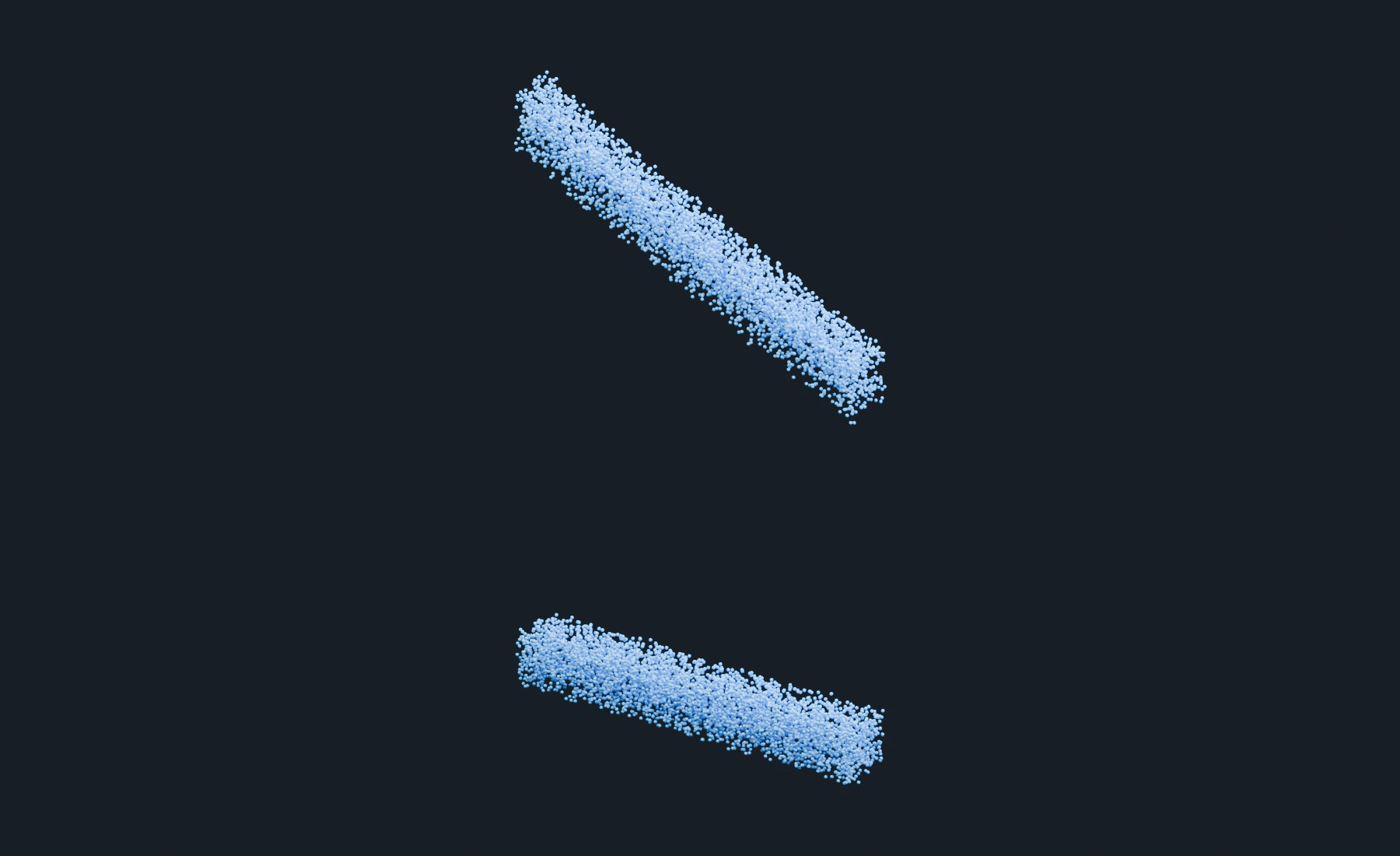
At frame 1, the release sphere is outside the source and all 12,000 particles should be frozen. At frame 120, some remain held and others have moved upward. The selected fraction is approximate for a finite population. Frozen particles display zero motion; Keep retains the velocity to restore when Unfreeze runs.
Create the source and moving release region
- Start a new Lists system and create a cube named
Held Source, Dimensions(4, 0.6, 0.6), at the origin. Apply Scale and assign it as the Emitter's Volume source, Density fill. - Enter the Emitter values above. Set lifetime Variation, Radius Random, Surface Push and Random Velocity to
0. Give the particles a blue birth color. Set Point Cloud to Blender Geometry, fixed Radius0.016 m, and Particle Color. - Add Empty > Sphere, name it
Release Sphere, and set Scale(0.8, 0.8, 0.8). - At frame
1, set its Location to(-4, 0, 0). Insert a Location keyframe using the transform fields' context menu. At frame90, set Location to(4, 0, 0)and insert another Location keyframe. Return to frame1before playing.
The sphere sweeps across the held population. Particles stay at their frozen positions until the combined release mask accepts them. Initial Velocity (0, 0, 1.5) supplies their upward motion after release; this setup needs no force effects.
If frozen particles should resume their original motion, use Velocity: Keep on the Freeze action. Use Zero only when a later effect will supply new velocity after release.
Lists: freeze new particles
- Add Conditional Logic as the first logic effect that changes the particles.
- Add an If branch and choose Born This Frame.
- Add a Freeze action inside that branch.
- Set Velocity to Keep to retain the particle's emission velocity. Finish the release branch before playing the complete setup.
Born This Frame is true only during a particle's first simulation frame. It does not repeatedly overwrite the frozen state on later frames.
Lists: build the release mask
- Add a second Conditional Logic after the freeze effect.
- Add an If branch with the Mask condition.
- Under that condition, add a Sphere mask and assign the release Empty.
- Set Falloff
0for the animated Release Sphere. This gives a clear spatial boundary. - Add a Random mask after the Sphere mask.
- Set the Random layer's Blend Mode to Multiply so a particle must be accepted by both the spatial and random masks.
- Choose Integer Random mode, Threshold
0.5, and Seed17. The random layer accepts approximately half the population. - Set the Mask condition Threshold to
0.5. A particle must be inside the sphere and accepted by Random to pass.
The Random mask is stable per particle. A particle does not flicker between selected and unselected on successive frames. Animating the Sphere Empty changes which frozen particles enter the release region.
Lists: release the selected particles
- Add Unfreeze inside the Mask branch.
- Keep this release Logic after the birth-freeze Logic in the Effects order.
- Reset to the scene start and play forward.
- Let the animation carry Release Sphere through the population. Selected particles rise; the rest remain in the original box-shaped region.
Once a particle is unfrozen, leaving the sphere does not freeze it again. The release branch only performs Unfreeze. Add a separate Freeze branch if the intended behavior is a continuously active holding region.
Nodes version
- Connect Volume Source → Emitter → Conditional Logic, using the source and particle settings above.
- Add a Logic Condition set to Born This Frame and a Logic Action set to Freeze.
- Connect them through Logic If / Else, then connect the resulting Program to the first Conditional Logic node.
- Add a second Conditional Logic node after the first.
- Create Sphere and Random Mask nodes. Combine them with Mask Blend set to Multiply.
- Connect the combined Mask to a Logic Condition set to Mask, and connect an Unfreeze Logic Action to its true program.
- Feed the second Conditional Logic node's particle output to Point Cloud and Simulation Output / Particles. Connect Point Cloud Result to Simulation Output / Geometry.
Nodes allow the same combined mask to feed other compatible effects, or allow the release program to be placed inside a Physics Group. The stream links, not node position, must keep birth freezing before release.
Adjust the selection
Change the Random mask's Seed to choose a different repeatable subset, or its Threshold to change the accepted fraction. Disable that mask if every particle crossed by the sphere should release. Reset and replay after changing the selection or animation.
Troubleshooting
- If particles release but remain stationary, Freeze used Velocity: Zero and no later effect supplied motion.
- If particles never release, inspect the Sphere Empty assignment, mask blend order, Mask condition threshold, and the second Logic effect's particle filter.
- If all particles release at birth, make sure the Unfreeze branch is driven by the combined Mask rather than Born This Frame, and confirm the Sphere already overlaps the birth region only when that is intended.
See Masks for mask evaluation and Conditional Logic for condition and action structure.