1. First System and Playback
Create a visible particle stream, then learn when to replay from the scene start.
Set up the Blender file
Install and enable Pro Particles Studio first. See Installation if the add-on does not start. Start a new Blender file. Set the timeline to 1–96 and frame rate to 24 fps.
Build the stream
- Delete the default cube. Add a UV Sphere named
Fountain Source, Radius0.25 m, Location(0, 0, 0.4). Apply its scale. - Press N in the 3D Viewport, open the Pro Particles Sidebar tab and choose Start with Lists. Set Substeps to
4in Global Settings. - In Emitters, use the created default Emitter and rename it
Fountain. Keep only this one Emitter. Change its starter Shape source to Volume, assign the sphere, and use Volume Fill: Density. - Set Emission Timing: Rate, Rate
120 /f, Start Frame1, Duration96, Lifetime96frames, and lifetime Variation0. - Set particle Radius
0.025 m, Radius Random0, Emission Seed17, Initial Velocity(1.2, 0, 5), Surface Push0, and Random Velocity(0, 0, 0). Set birth Color to blue (#2C99F9). - Keep one Point Cloud post effect with Display: GPU Preview, Shape: Sphere, Radius: Particle Radius, Radius Scale
1, and particle Color. - Return the Timeline to frame
1, then start playback with Space. Stop at about frame24to inspect the stream. Keep the source assigned to the Emitter; hide it from renders if you later add a camera.
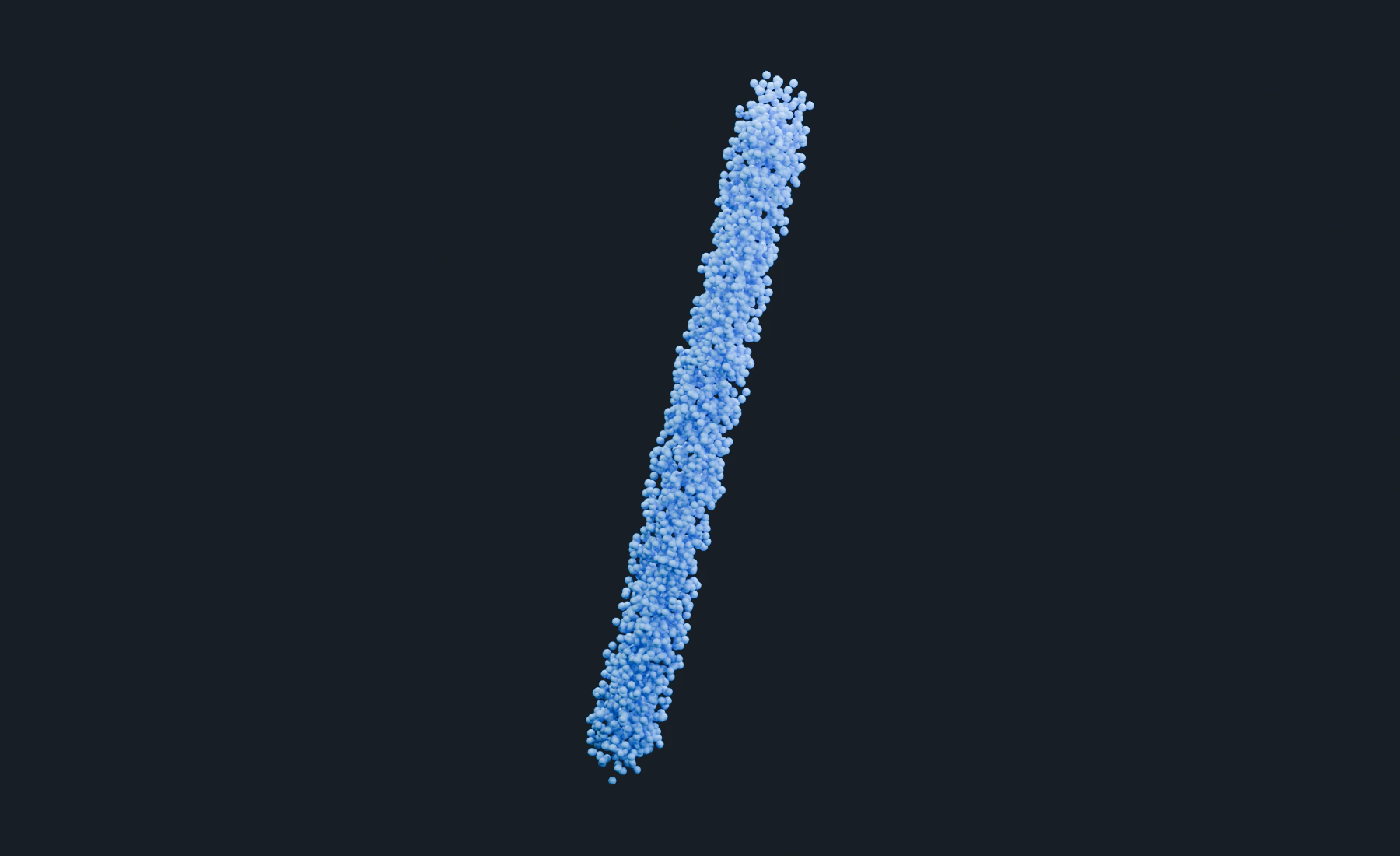
The rising stream
At frame 24, about 2880 particles form a rising, slightly slanted stream. Gravity has not been added, so particles continue in their initial direction. The source is a birth region, not a collider.
Save as 01-first-system.blend. After changing a source, birth property, or effect, stop playback, return to frame 1, and replay. Simulation is calculated frame by frame. A saved final mesh cannot resume the live simulation.
Optional: make the stream vertical
Set Initial Velocity X to 0 and replay from frame 1. The stream should become vertical. Restore X to 1.2 before continuing.
Troubleshooting
- No particles: verify the Volume object, Density fill, enabled Emitter, timing and Point Cloud display.
- Particles move in all directions: check Surface Push and Random Velocity before adding effects.
Reference: Emitters, First Particle System.