3. Build an Effect Stack
Turn the straight stream into a fountain with Gravity, Curl Noise and Drag.
Continue with the particle stream
Continue from lesson 2 with Duration 96, Lifetime 48, and Rate 120 /f. Save as 03-effects.blend.
Add Gravity, Curl Noise and Drag
In Effects, open Add Effect... and add Gravity, Curl Noise and Drag. Select each entry and enter its settings below. Use the stack's move controls to arrange their evaluation order.
| Evaluation order | Effect | Settings |
|---|---|---|
| 1 | Gravity | Force (0, 0, -9.81) |
| 2 | Curl Noise | Force, Classic Curl, Strength 1.2, Scale 1, Speed 0, Octaves 1, Seed 17 |
| 3 | Drag | Coefficient 0.3 |
Lists evaluates the visible Effects stack from the bottom upward. Place Gravity lowest, Curl Noise above it, and Drag above Curl Noise. Keep Apply to: All.
Replay frames 1–72. Initial Velocity launches particles, Gravity bends their paths downward, Curl Noise varies motion, and Drag reduces momentum.
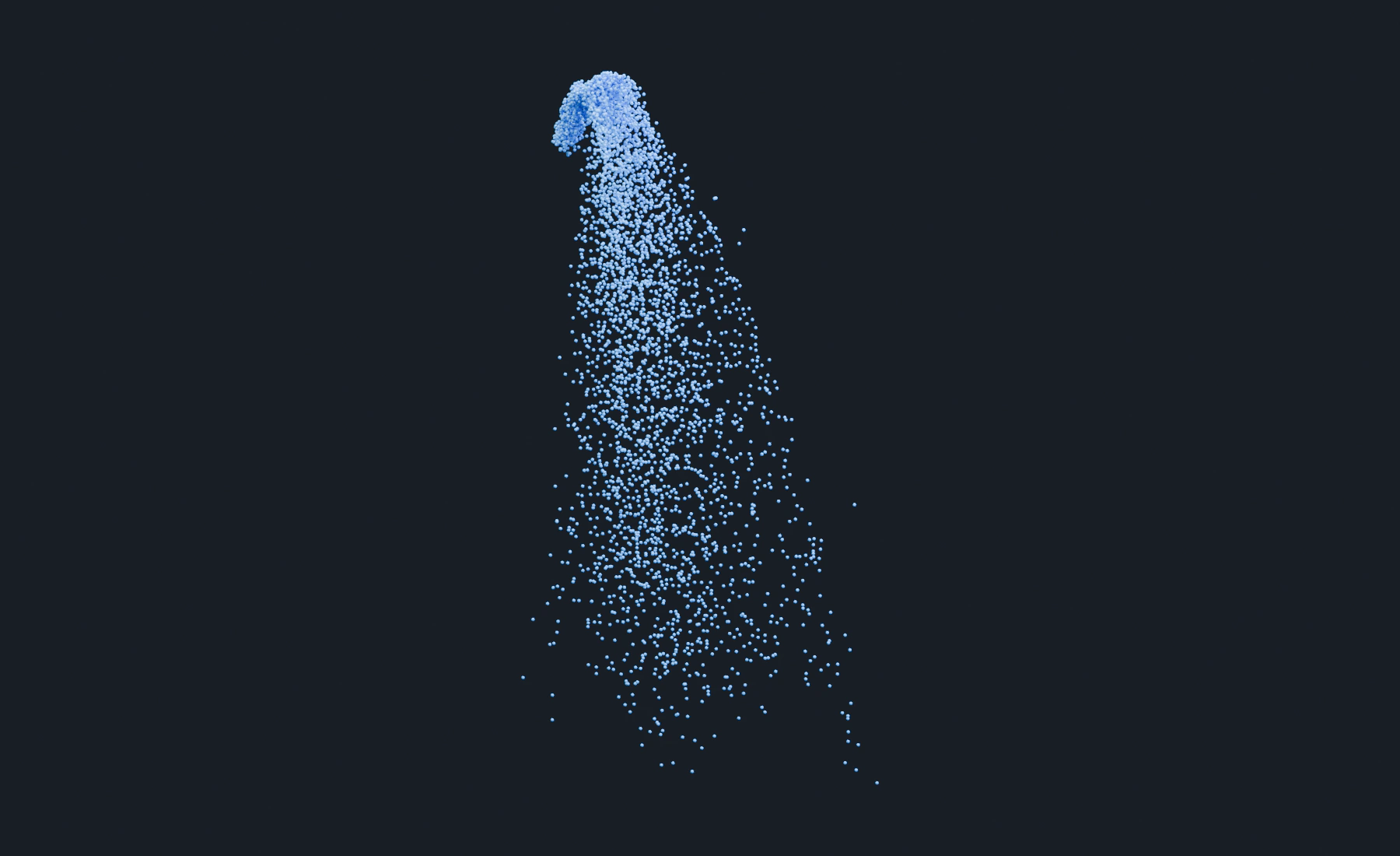
The fountain trajectory
The stream rises, bends and falls. Old particles can travel below Z 0: a visible Blender floor does not collide until a Collision effect is assigned. Lesson 4 adds that contact.
Optional: compare Curl strength
Compare Curl Strength 0 and 2.4, replaying from frame 1 each time. At zero, Gravity and Drag produce a simpler arc. The higher value adds stronger deviations. Restore 1.2 before continuing.
Troubleshooting
- Particles only rise: check Gravity's enabled state, Force Z and filter.
- Particles barely move: inspect Drag before increasing emission count.
- Reordering changes motion: effects read the state produced by earlier effects; order is part of the setup.
Reference: Forces, Common effect settings.
Previous: 2. Rate, Duration and Lifetime · Next: 4. Add Ground Contact