7. Separate Particle Groups
Keep shared ground contact while giving two populations different motion and color.
Continue with Point Cloud and Trails
Continue from lesson 6 with Point Cloud and Trails enabled and Instance disabled. Save as 07-groups.blend.
Create two populations
- In Groups, create named groups
MainandAccent. - Assign Fountain's Default Group to Main. Move Fountain Source to
(-0.8, 0, 0.4)and change Rate to80 /f. - Add a UV Sphere named
Accent Source, Radius0.25 m, Location(0.8, 0, 0.4), and apply Scale. Add an Emitter namedAccent Fountain, change its source to Volume, assign Accent Source, and choose Density fill. - Set its Rate
80 /f, Start Frame1, Duration96, Lifetime48, Variation0, particle Radius0.025 m, Radius Random0, and Emission Seed23. - Use Initial Velocity
(-1.2, 0, 5), Surface Push0, Random Velocity zero, birth Color orange (#FF6F2C), and Default Group Accent. - Set Curl Noise and Change Color Apply to: Group, selecting Main on each. Keep Gravity, Drag and Collision applied to All.
- Replay to frame
72.
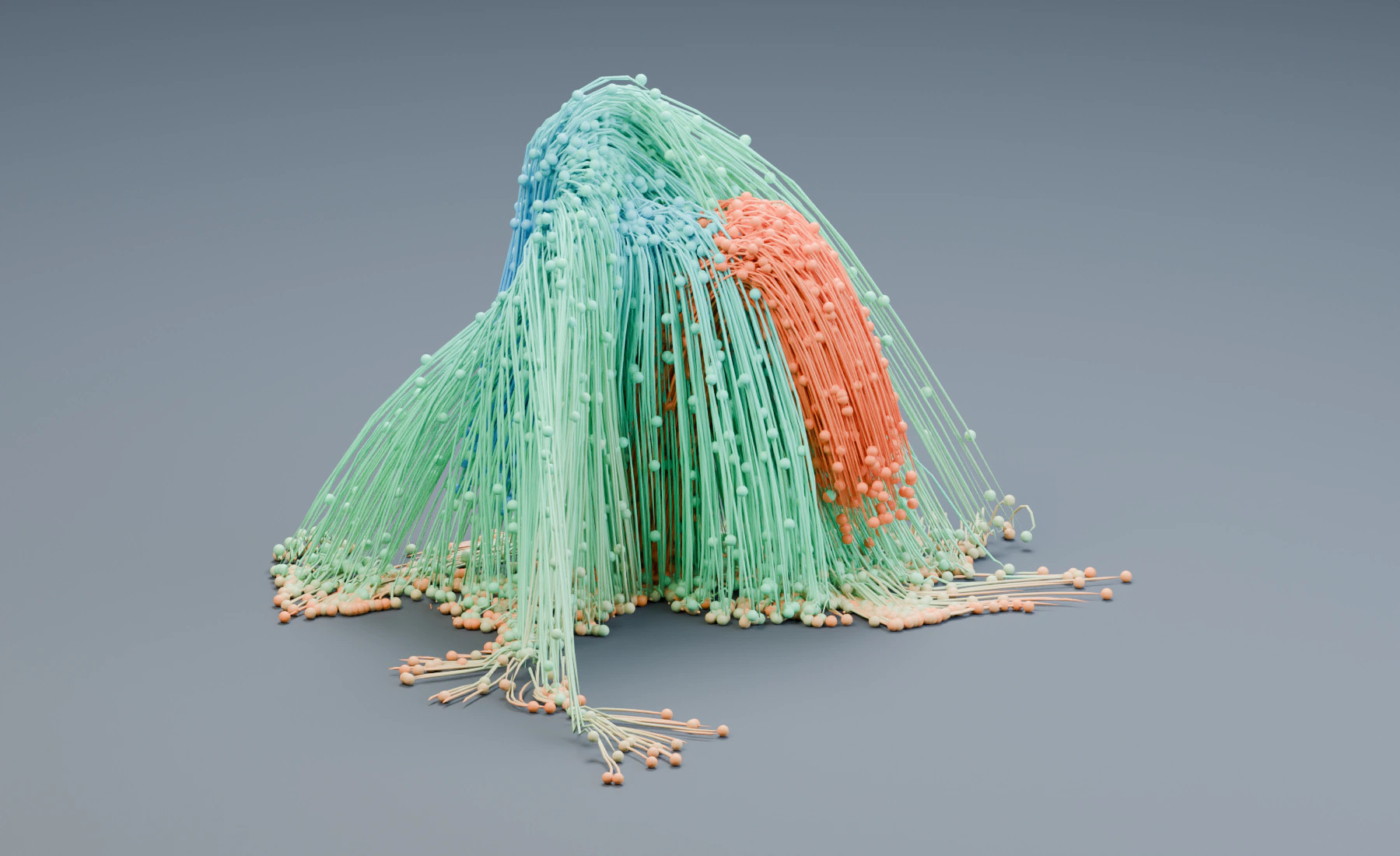
Main and Accent respond differently
Both fountains launch and contact the same ground. Main receives curls and the age ramp; Accent keeps constant orange color and ordinary gravity-and-drag motion. Together they maintain approximately 7680 live particles.
Use the Group selectors to target Main or Accent by name. Group membership does not duplicate particles or isolate their physics: an effect applied to All still affects both groups.
Optional: apply the color ramp to both groups
Set Change Color to All and replay: both populations should receive the age ramp. Restore Group Main.
Troubleshooting
- Both fountains curl: inspect Curl Noise's Apply to setting.
- Accent changes color: inspect Change Color's filter and the second Emitter's Default Group.
- One fountain is missing: check its source assignment and post-effect group filters.
Reference: Particle Groups.
Previous: 6. Points, Trails and Instances · Next: 8. Limit an Effect with a Mask