Sand and Snow with Granular
Create a stable granular pour, then tune the same setup toward loose dry sand, cohesive wet sand, or clumping snow.
Granular controls how the grains interact with each other. Collision handles the ground, and Gravity supplies the downward acceleration.
Reference setup
Use 30 fps, Substeps 6, and play frames 1–240. Evaluation order: Gravity → Collision → Granular. In Lists, arrange the first effect at the bottom of the visible list; in Nodes, follow the links. All three examples use the same pour and open ground, without side walls.
Set the Volume source's Volume Fill to Density so Rate controls the pour.
| Part | Settings |
|---|---|
| Volume source | Box 0.6 × 0.6 × 0.15 m, center (0, 0, 2.8) |
| Emitter | Rate 100 /f, Start Frame 1, Duration 180, Lifetime 1000 frames |
| Particles | Radius 0.025 m, Radius Random 0.12, Initial Velocity (0, 0, -2) |
| Ground | Box 40 × 40 × 0.3 m, center Z -0.15 m, top surface at Z 0 |
| Collision | Ground object, Bounciness 0, Friction 0.6 |
| Point Cloud | Particle Radius and Color; Blender Geometry for the illustrated renders |
Apply object scale before simulating. Select each preset, then set Stiffness to 0.9 and Solver Iterations to 10 for this pour. For Dry Sand, also set Friction to 0.7. Wet Sand and Snow retain their preset Friction, Cohesion, Cohesion Radius, Viscosity, and Activation Frames. These overrides make the comparison reproducible; the images do not show untouched preset defaults.
The selected presets populate these controls:
| Preset | Stiffness | Friction | Cohesion | Cohesion Radius | Viscosity | Solver Iterations | Activation Frames |
|---|---|---|---|---|---|---|---|
| Dry Sand | 0.78 | 0.35 | 0 | 1.02 | 0 | 6 | 5 |
| Wet Sand | 0.76 | 1.65 | 0.18 | 1.12 | 0.015 | 8 | 8 |
| Snow | 0.66 | 1.75 | 0.32 | 1.15 | 0.02 | 9 | 10 |
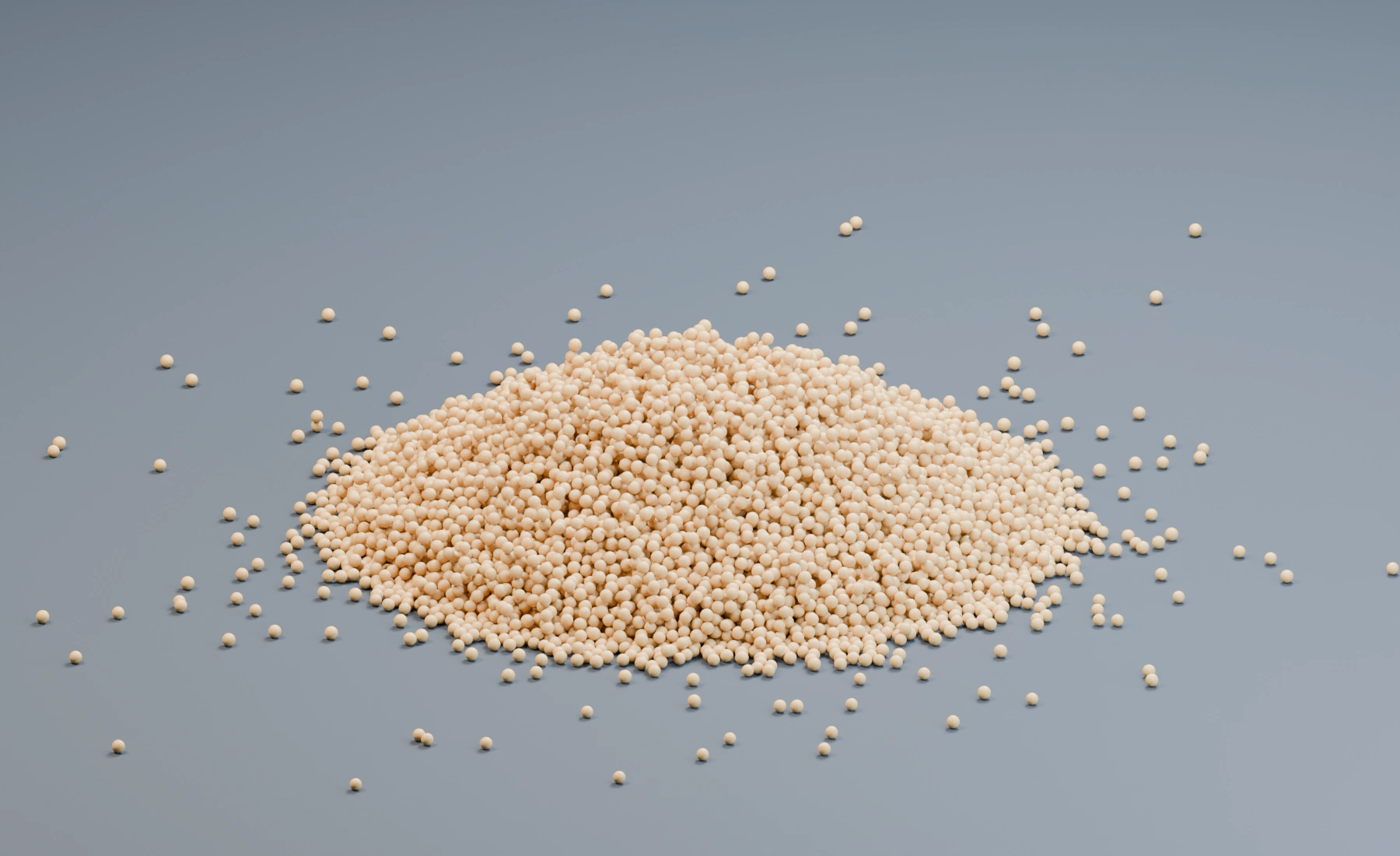
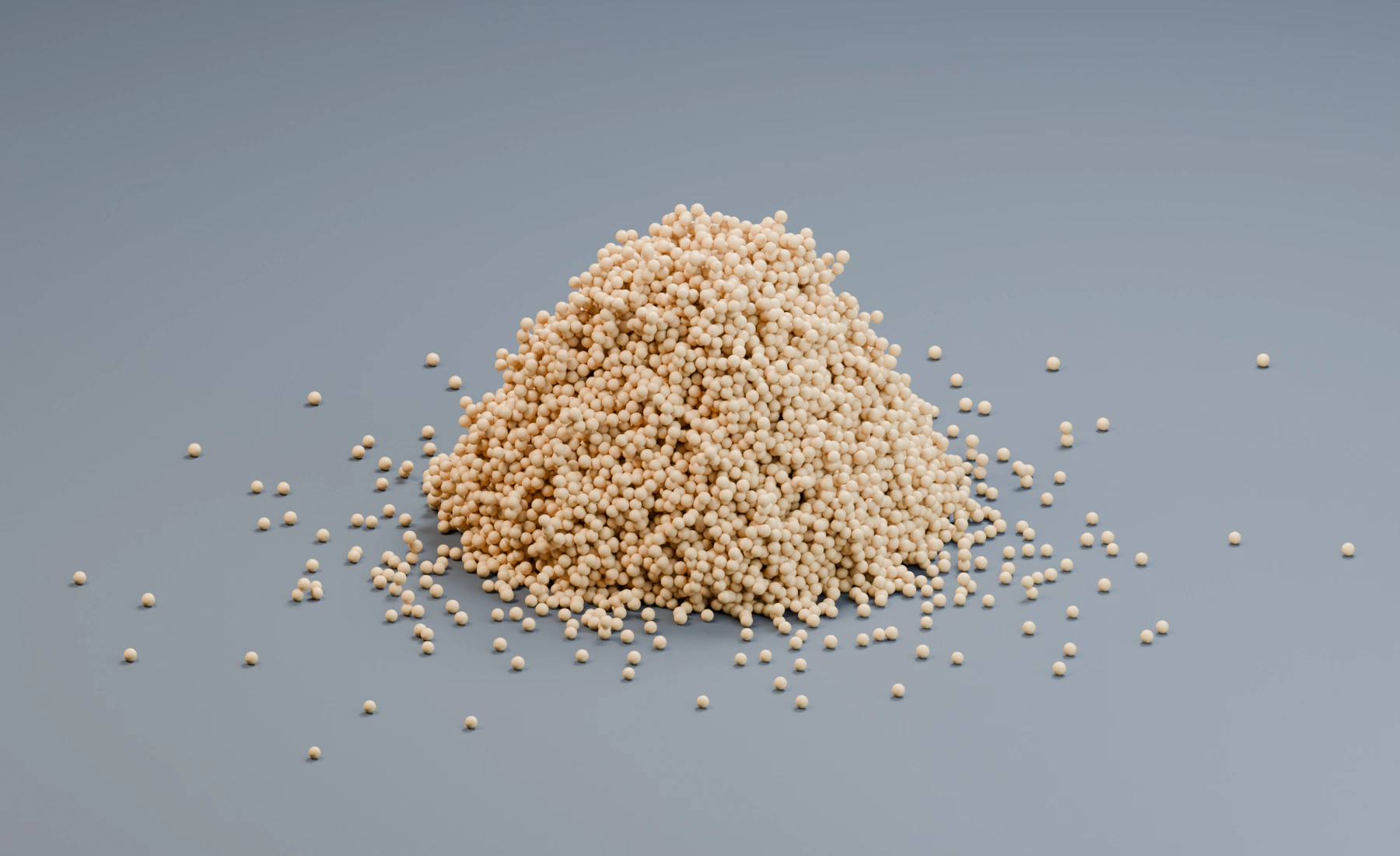
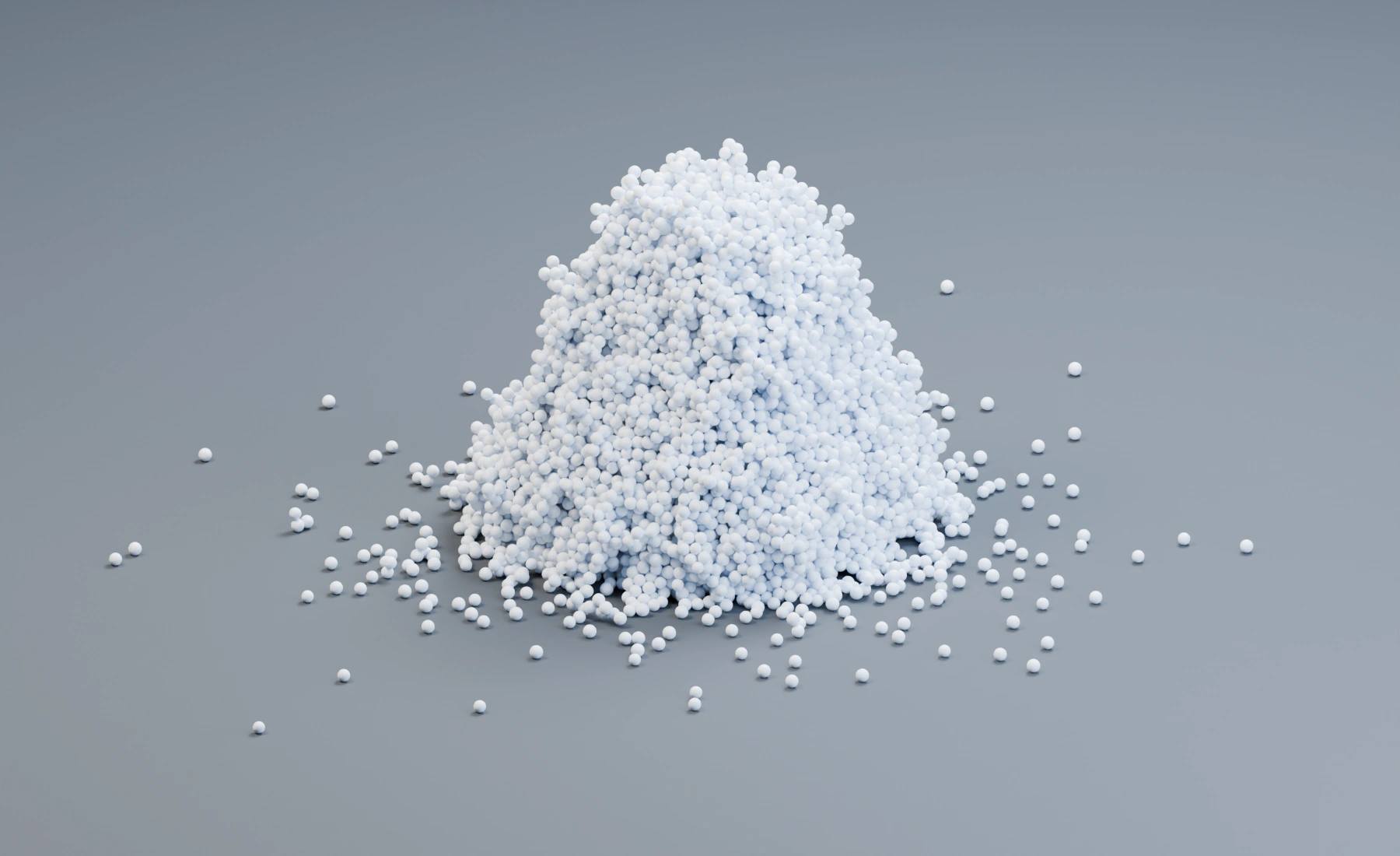
Check frames 1, 120, and 240 for ground contact and settling. The same open-ground pour makes the settings comparable, but a still image does not show clump strength or breakup. Inspect the moving pour before judging those properties.
1. Build the open-ground pour
- Start a new Lists system. Add a cube named
Ground, Dimensions(40, 40, 0.3), Location(0, 0, -0.15), and apply Scale. - Create a second cube named
Pour Source, Dimensions(0.6, 0.6, 0.15), Location(0, 0, 2.8), and apply Scale. - Assign Pour Source as the Emitter's Volume source, Density fill. Set Rate
100 /f, Start Frame1, Duration180, Lifetime1000, and lifetime Variation0. - Set particle Radius
0.025 m, Radius Random0.12, Initial Velocity(0, 0, -2), Surface Push0, and Random Velocity(0, 0, 0). - Keep Point Cloud using Particle Radius and Particle Color. Use Blender Geometry for rendering, with a sand-colored birth color for sand or white for snow.
If the grain radius is halved while the same volume remains filled, the required particle count can increase substantially. Choose Radius for both simulation detail and the visible grain size.
2. Add gravity and ground contact
- Add Gravity, Force
(0, 0, -9.81). - Add Collision using Ground, Bounciness
0, Friction0.6, and Sidedness Outside. - Keep Gravity below Collision in the visible Lists stack. Add Granular above them in the next section.
Collision keeps grains on the ground. Granular adds contact between grains; it cannot repair a wrongly assigned or badly scaled ground collider.
3. Add the Granular material
- Add Granular after Gravity and Collision in Lists, or connect it in the particle stream in Nodes.
- Choose Dry Sand, then set Stiffness
0.9, Friction0.7, and Solver Iterations10. Keep Cohesion and Viscosity at0, Activation Frames5, and Persistent Bonds off. Presets write editable values; selecting one does not lock the controls. - Reset and play from the scene start.
- Play through frame
240: the pour ends at180, leaving time for settling. Save this dry-sand setup before choosing Wet Sand or Snow. For each of those versions, select the preset first, then reapply Stiffness0.9and Solver Iterations10; retain its other preset values.
The main controls have distinct jobs:
- Stiffness resists compression and overlap. Increase it when grains look too soft or compact too far.
- Friction controls sliding and the slope a settled pile can retain.
- Cohesion binds nearby grains into clusters.
- Cohesion Radius is a multiplier of particle radius that extends the cohesive range. It matters only while Cohesion is above zero.
- Viscosity damps relative motion, producing a thicker or gel-like response.
- Solver Iterations repeats the contact solve per substep. More iterations improve stiffness and dense contact at increased cost.
- Activation Frames ramps the effect from zero to full strength after spawn, reducing violent startup correction.
Optional: tune dry sand
- Start with Dry Sand.
- Keep Cohesion and Viscosity at zero so grains remain loose.
- Adjust Friction while watching the settled slope. Increase it for a steeper pile; decrease it for freer flow.
- Adjust Stiffness while watching compaction and visible overlap.
- Increase Solver Iterations only if a suitable Stiffness still leaves unresolved dense contact.
- If emitted grains begin heavily overlapped, increase Activation Frames or improve emitter spacing before raising iterations further.
Dry sand should separate into individual moving grains and settle according to friction. Persistent clumps indicate nonzero Cohesion, excessive damping elsewhere, or a different preset value still in use.
Optional: tune wet sand or snow
For damp clumps, start with Wet Sand. For a more cohesive, fragile-looking mass, start with Snow.
- Increase Cohesion until small groups remain connected during motion.
- Increase Cohesion Radius only if the attraction must bridge slightly wider gaps. A large radius changes how many neighbors interact and can raise cost.
- Add a small amount of Viscosity when clumps should lose internal relative motion.
- Use Friction to control the settled shape separately from cohesion.
- Compare the result during breakup as well as at rest. Cohesion controls binding; Viscosity controls relative-motion damping.
Snow is a cohesive granular preset here. Use MPM when the snow should deform as a continuous material or retain plastic deformation under load.
Lists and Nodes
In Lists, keep Gravity, Collision and Granular in the stated evaluation order and use Apply to when the scene contains other particle materials.
In Nodes:
- Connect the Emitter stream through Gravity, Collision, and Granular.
- Keep the complete particle stream connected to Granular. Use Apply to: Group to select only the granular population.
- Merge any earlier emitter branches before Collision and Granular. Connect the final stream to Point Cloud and Simulation Output / Particles, and Point Cloud Result to Simulation Output / Geometry.
- Use Fields only on the Granular parameters that expose field inputs. A disconnected input returns to the displayed uniform value.
Both workflows use the same material solver. Granular requires the complete particle stream; a group filter selects its material population without removing other particles from that stream.
Troubleshooting
- Particles explode apart at birth: Reduce initial overlap or emission density, and give Activation Frames time to ramp the solve.
- The pile is too flat: Increase Granular Friction. Also check Collider Friction, which controls contact with the container.
- The material compresses too much: Increase Stiffness, Substeps, or Solver Iterations in that order after confirming particle spacing.
- Snow behaves like dry grains: Increase Cohesion and, if required, its Radius. Add Viscosity only for relative-motion damping.
- The material forms one rigid-looking mass: Reduce Cohesion or Cohesion Radius, then reduce Viscosity.
- Particles leave the container: Check collider normals, thickness, Sidedness, particle speed, and simulation Substeps.
- Performance is poor: Reduce unnecessary particle count, Cohesion Radius, and Solver Iterations. Do not combine Self Collision or Push Apart with Granular unless the additional behavior is intentional.
See Granular for the control reference and Collision and Interaction for collider behavior.