Infection, Explosion and Limit
Infection propagates persistent particle state, Explosion applies controlled radial bursts, and Limit constrains motion or particle data through ordered layers.
These effects solve different tasks. Infection evolves a persistent state through particle neighborhoods, Explosion changes velocity at a radial trigger, and Limit clamps existing values. Their position in the effect order matters because they read the particle state produced before them and write state seen by later effects.
Infection
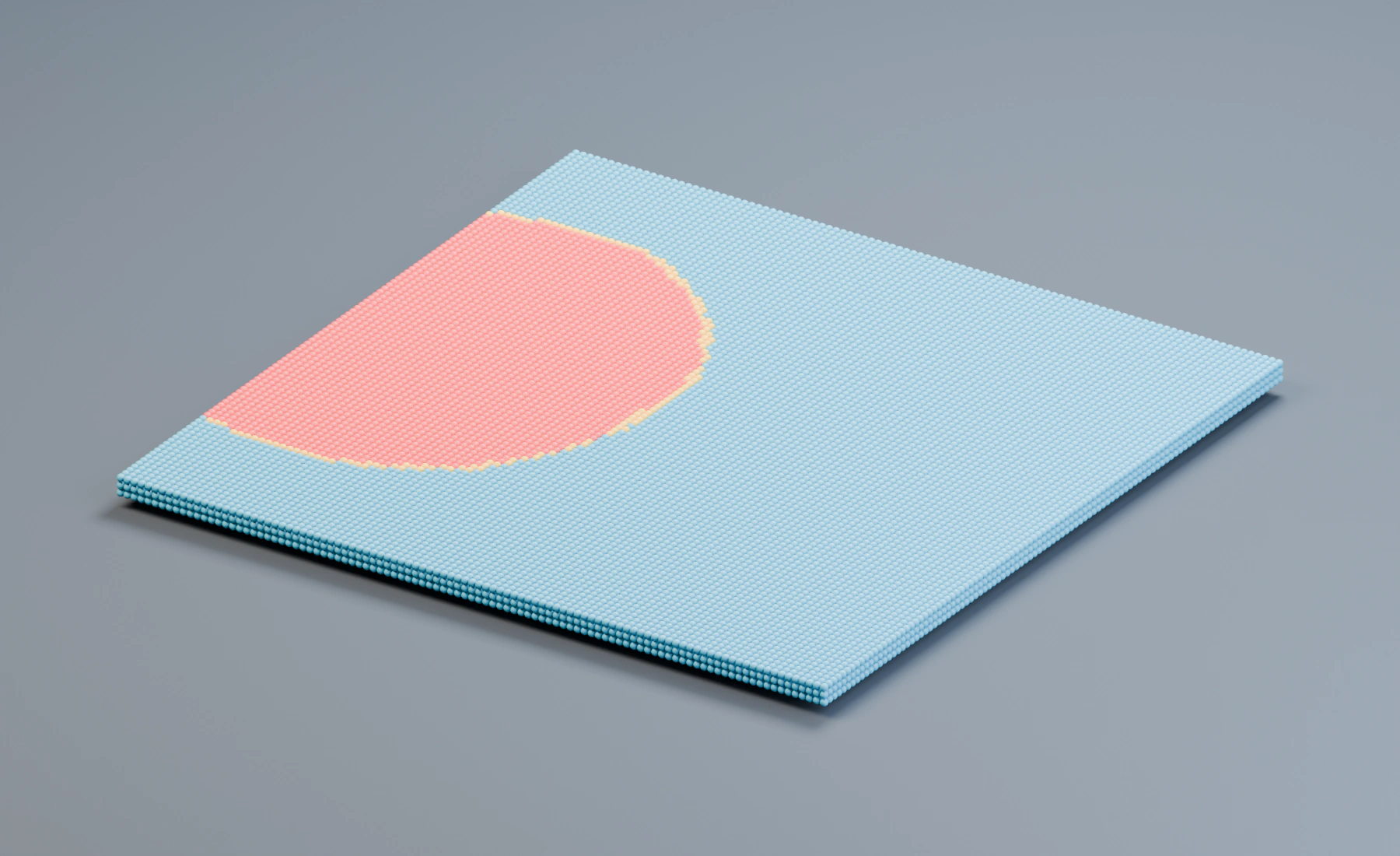
Spreads persistent susceptible, incubating, infected, and immune states between nearby particles.
Workflow
- Add Infection after all Emitters whose particles should share the propagation solve.
- Choose one Initial Infection mode and verify that seeds appear before tuning transmission.
- Set Search Radius near the intended contact scale.
- Keep Transmission high initially, then use Max Contacts and Max New Infections to control spread density and cost.
- Choose an Incubation input and establish the delay from exposure to the infectious state.
- Decide whether infection is permanent, recovers to Immune, or returns to Susceptible.
- Enable State Colors or Assign State Groups to make the state observable by rendering, Logic, or later effects.
In Lists, arrange Spatial Seeds inside the Infection effect. In Nodes, add Infection Spatial Seed nodes, chain them through Previous, and connect the last node to Spatial Seeds. Each node has its own Empty, Radius and Threshold. The connected chain can be reused in Nodes.
Initial Infection
Mode = Random, Group, All Particles, or Spatial Seeds. Random adds Seed Chance and Random Seed; Group adds Seed Group; all modes include Seed Once.
Seed Once evaluates initial seeding once per particle. Disable it only when susceptible particles should remain eligible to become initial seeds later; transmission from already infected particles is controlled separately.
Spatial Seeds
Ordered seed entries can be enabled/disabled, added, removed, and reordered. Each seed has Name, Object, Radius, and Threshold.
Spread
Search Radius, Transmission, Max New Infections, Max Contacts, Search Once, Resistance, and optional Constrain Search with XYZ Axis Limit.
Search Radius defines eligible infectious neighbors. Max Contacts limits how many of those neighbors one susceptible particle inspects per simulation step. Max New Infections limits how many exposures each infectious particle can create per step; zero disables propagation from infected particles. Search Once allows an infected particle to spread only during its first infectious simulation step. Axis Limit scales the neighborhood independently along world X, Y, and Z.
Incubation
Input = Time, Rate, Particle Color, Particle Radius, or Particle Mass. Time uses Incubation Time and Variation. Rate uses Incubation Rate, Incubation Multiplier, and Variation. Particle Color adds Color Channel = Luminance, Red, Green, or Blue; Radius/Mass add Input Min and Input Max. Attribute-driven modes also use Incubation Time, Incubation Multiplier, Invert, and Variation. All modes add Contact Acceleration.
Time uses a duration in seconds. Rate advances a fraction of the incubation cycle per second. Attribute-driven modes normalize the selected color, radius, or mass input and use it to vary incubation. Contact Acceleration increases incubation speed for additional infectious neighbors.
Lifecycle
Infected Duration, After Infection = Become Immune or Become Susceptible, optional Initial Immunity / Immunity Level, and, in Become Immune mode, Recovered Immunity.
An Infected Duration of zero keeps particles infected indefinitely. Become Susceptible allows reinfection after recovery; Become Immune moves the particle into the immune state according to the configured immunity controls.
State Output
Color = No Change, State Colors, or Incubation Gradient. State Colors exposes Incubating, Infected, and when relevant Immune. Incubation Gradient provides the editable/preset color ramp plus fixed Infected and optional Immune colors.
Assign State Groups
Optionally assigns named Susceptible, Incubating, Infected, and Immune groups.
Enable Assign State Groups, then select existing groups or click Create State Groups to create and assign four separate groups with those names. Existing selections are replaced by the newly created groups; duplicate names receive a numeric suffix. The action is unavailable once all four selections use distinct existing groups. Enabling Assign State Groups alone does not create groups, so select different groups when later effects must distinguish the states.
This works in Lists and Nodes. In Nodes, unlinked exposed state-group inputs receive the new selections. If any state-group input is linked, select its group through the connected Group Value or group interface instead; Create State Groups is unavailable while those links control the selection.
State groups let later effects, Masks, Logic, and material workflows target infection state without relying on display color. They change particle Group assignment, so plan this together with any existing group-based routing.
Explosion
Bursts particles radially from their collective mass center or a scene object.
Workflow
- Choose Particle Mass Center when the affected population should define the origin, or Object for an animated art-directed center.
- Set Velocity to Add when incoming motion should be preserved, or Set when the burst should replace it.
- Use a timed mode and Apply at Trigger Only for a one-shot event.
- Set Max Distance to restrict the burst and then choose the falloff.
- Add Variation and Seed after the base direction and speed are correct.
Timing
Timing = Always, Scene Time, or Particle Age. Timed modes add Comparison = Equals, Equals or Greater, or Equals or Less, plus Time and Units = Frames or Seconds. Apply at Trigger Only converts a sustained condition into a one-shot burst.
Scene Time synchronizes the event globally. Particle Age evaluates the trigger independently from each particle's birth. Without Apply at Trigger Only, a sustained comparison can apply the burst repeatedly while it remains true.
Explosion
Explode From = Particle Mass Center or Object; Object mode adds Center Object. Motion controls are Speed, Variation, Seed, and Velocity = Set or Add.
Distance
Max Distance; when limited, Falloff = None, Linear, Smooth, or Quadratic.
Release Surface Attachments: releases particles currently owned by Surface Attach when the explosion triggers.
In Lists, use Data Mapping on Speed, Variation and Max Distance. In Nodes, connect compatible Fields to the available inputs, or place Explosion on a specific stream branch. Use the effect's Mask to restrict the burst to a spatial region.
Limit
Ordered layers constrain particle motion, transforms, physical attributes, or persistent user data.
Workflow
- Place Limit after the effects whose result should be clamped.
- Add one layer for one attribute and enable only the required Minimum or Maximum.
- Use Strength below 1 for a partial correction toward the bound.
- For vectors, choose Linked axes for one common bound or Per Axis for independent components.
- Use Object space when a moving or rotated reference should define the axes.
- Add further layers in the order they should read the previously limited result.
In Lists, Limit Layers are stored in the effect. In Nodes, each Limit Component is a configuration node. Chain layers through Previous, then connect the final component to Limit Components. This makes the exact attribute-clamping order visible and reusable independently of the particle stream.
Layer Stack
Add, remove, reorder, duplicate, enable/disable, and rename layers. Types are Speed, Velocity, Position, Rotation, Angular Velocity, Radius, Mass, Scale, User Float, User Int, and User Vector.
Common
Every layer has Name, Strength, and Variation; non-zero Variation exposes Variation Seed.
Strength controls how far the current value moves toward the permitted bound. Variation changes the effective bounds deterministically per particle rather than adding random motion.
Bounds
Scalar layers expose independently enabled Minimum and Maximum. Vector layers add Axes = Linked or Per Axis; Linked uses one minimum/maximum for XYZ, while Per Axis provides independent X/Y/Z minimum and maximum toggles and values.
Spaces
Velocity, Position, Rotation, and Angular Velocity add Space = World or Object; Object mode adds Reference Object.
Object space evaluates the selected value relative to the Reference Object's current origin and orientation. Scale and persistent user values do not expose a space because they are not world-space motion quantities.
User Float
Adds Channel = User Float 1 or User Float 2. User Int and User Vector operate on their corresponding persistent particle-data channels.
These layers can enforce ranges after Logic writes custom data. Place Limit after Logic when it should sanitize Logic output, or before Logic when the condition or action should see the clamped value.
Troubleshooting
- Infection never spreads: Confirm initial seeds, affected particles inside Search Radius, non-zero Transmission and Max New Infections, and immunity or resistance values.
- Infection spreads only once: Search Once intentionally limits each infected particle to its first infectious step.
- State colors work but group filters do not: Enable Assign State Groups and select valid named groups.
- Explosion keeps accelerating particles: Use Apply at Trigger Only for one-shot timing, or check whether Timing is Always.
- Explosion loses incoming direction: Velocity Set replaces velocity. Use Add to preserve it.
- Limit seems ineffective: Place it after the effect that creates the out-of-range value and verify that the relevant Minimum or Maximum is enabled.
- A Limit component disappears from the solve: Disabled layers, zero Strength, layers without an enabled bound, and Object-space layers without a Reference Object are omitted.