Canyon preview
Canyon generates a warped, continuous valley profile with inclined strata and surrounding slopes. Broad bends and finer surface deformation vary in direction, reducing regular crosshatching on the walls. Its height output can be connected directly to Terrain Output or processed by other terrain nodes.
Build a Canyon
- Add a terrain in the Pro Terrain tab. In the Pro Terrain node editor, replace the starter Mountain node with Canyon and connect its height output to Terrain Output.
- Adjust the channel and surrounding landform with the controls below.
- Keep Auto Update enabled to rebuild after edits, or choose Refresh Terrain Preview to recalculate the preview manually. Choose GPU Preview or Heightfield Geometry under Display Mode.
| Control | Effect |
|---|---|
| Width | Broadens the riverbed and main valley. |
| Valley | Adjusts the contrast of the valley profile after the first deformation. |
| Surrounding | Adjusts the final profile contrast between the valley and the surrounding land. |
| Depth | Scales the valley excavation before strata are added. The continuous base profile spans half a height unit, so Depth 0.65 produces about 0.325 units of relief before processing. At 0 the output is flat. |
| Meander | Increases channel deformation. At 0, the channel runs straight. |
| Scale | Changes the size of cellular deformations. |
| Warp | Selects Perlin or Voronoi for the first deformation stage. A second cellular stage adds further variation. |
| Terracing | Blends three stages of inclined rock strata into the lower valley walls. Their spacing stays in height units when Depth changes. At 0, no strata are added. |
| Seed | Changes the channel deformation and strata variation. |
Canyon builds its valley and strata without an erosion simulation. For runoff-driven channels and sediment, connect its height to Hydraulic Erosion. Add Thermal Erosion afterward when softer slopes are needed. Strong erosion can remove the original strata, so adjust the processing amount along with Terracing.
The heightfield is static and independent of the timeline. See Terrain nodes for erosion controls and memory requirements, and Mountain preview for display limits.
Color and export example
Connect Canyon's height to both Terrain Output and Terrain ColorMap > height. Choose the Ochre Canyon preset, leave the other ColorMap controls at their defaults, and connect its color to Terrain Output.
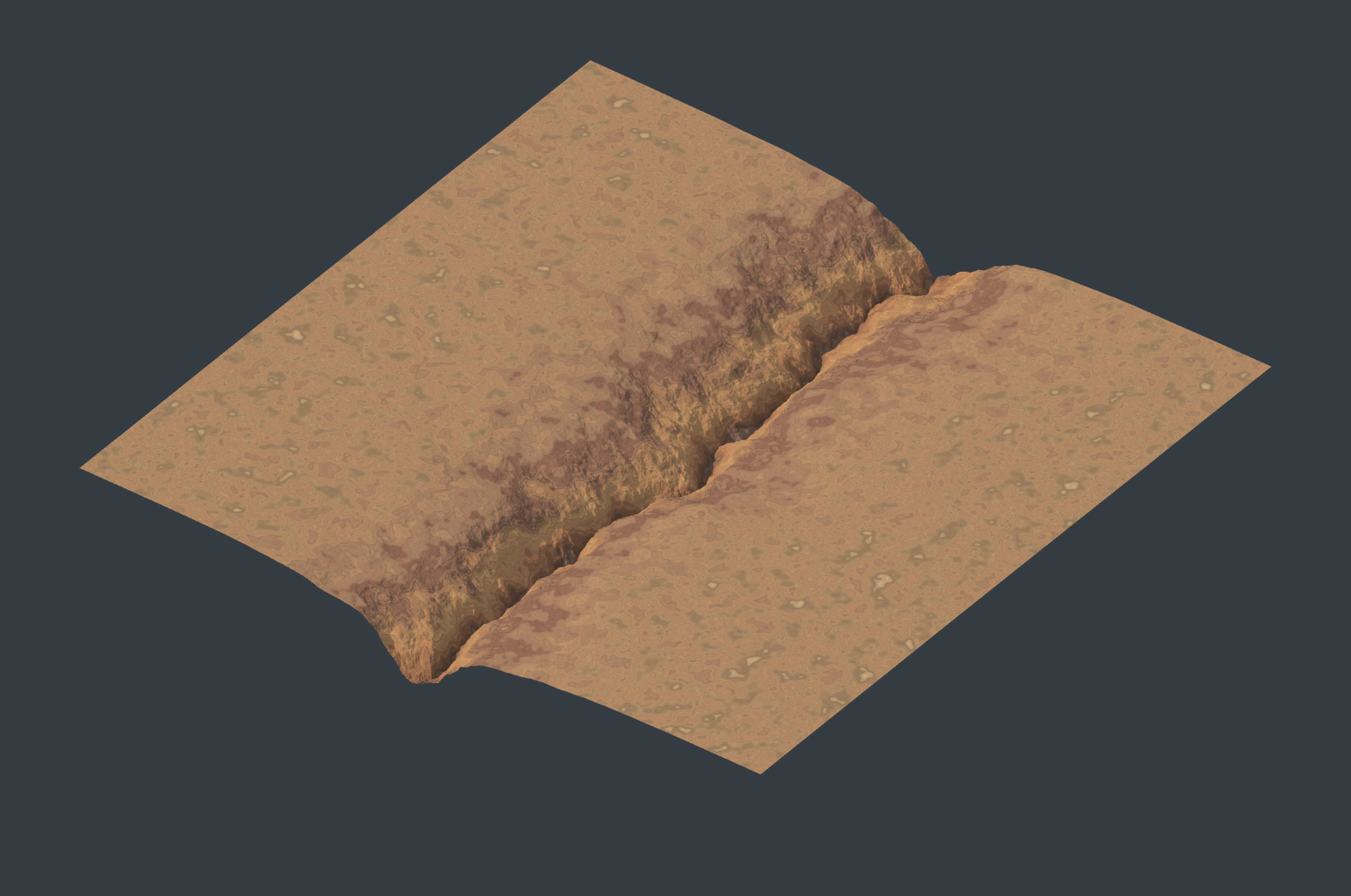
The palette colors the heightfield; it does not add rock layers to its geometry. For mesh and texture output, follow Export and Blender Materials. Use the Canyon height and ColorMap color as the export sources.