Drawing Terrain
Draw paths, coastlines, basins, level areas and masks in the 3D Viewport. Drawings remain editable Blender Curve objects and are saved with the scene. The same Drawing Field can control multiple terrain operations.
Draw a feature
- Add or select a terrain in Pro Terrain.
- Open Draw Terrain and choose Tool.
- Choose Terrain Surface to draw on the completed preview, or Ground Plane to draw at Z = 0. Top View frames the terrain from above and keeps the current perspective or orthographic projection. From Camera View, it switches to a perspective top view without moving the camera.
- Set Width for paths and brushes, or Transition for closed-area tools, then click Draw New. These controls use scene units. Drag with the left mouse button and release to apply the stroke. Closed-area tools join the last point to the first.
- Adjust the resulting Drawing Field and operation node. Edit Drawing opens the linked Curve in Edit Mode; move points, adjust point radius or convert Poly splines to Bezier to edit handles.
While dragging, the overlay shows the path, width and brush position. The graph changes when the stroke is released. Esc or the right mouse button discards the uncommitted stroke. Backspace removes the last recorded point.
Draw New creates a new drawing. Select a Drawing Field and use Add Stroke, or its Draw button, to add another spline to that drawing. Reverse Flow reverses each spline's direction, including its height profile and along-path coordinate.
Roads and rivers use the existing height source. Other shape tools insert an operation after the current height branch. New paint masks connect to the selected processor's mask input when one is available; otherwise connect the Drawing Field's mask output manually.
When drawing from a node's button onto Terrain Surface, activate the terrain using that graph first. Ground Plane drawing also works for a graph without a completed preview.
Nodes
| Node | Result | Outputs |
|---|---|---|
| Drawing Field | Variable-width paths, closed areas with holes, or ordered brush strokes | mask, distance, profile, width, along |
| Road Grade | Crowned road surface, shoulders and cut/fill slopes | height, road, cut, fill |
| Guided River | Graded channel, bed and bank transition | height, surface, depth, water, banks |
| Island Outline | Coastline and seabed around an optional terrain source | height, land, beach |
| Drawn Relief | Ridge or valley following a variable-width path | height, influence |
| Level Area | Plateau or building pad with an outside transition | height, area, cut, fill |
| Lake Outline | Lake basin or shallow wetland inside a closed contour | height, surface, depth, water, shore, cut, fill |
Connect the Drawing Field's distance, profile and width outputs to the corresponding Road Grade or Guided River inputs. Drawn Relief needs distance and width. Island Outline, Level Area and Lake Outline use the signed distance from a Drawing Field in Closed Area mode.
The optional mask on an operation limits its strength. Guided River's optional depth input supplies local bed depth and replaces Bed Depth. For example, remap along through Mask Curve and scale it to the desired depth range to vary excavation downstream.
Drawing Field
Path produces a soft variable-width mask. Closed Area requires closed contours and uses even-odd filling: an inner contour creates a hole, another contour inside that hole creates an island. Overlapping contours also follow this rule. Use separate drawings and Combine when overlapping areas should form a union.
Paint composites strokes in spline order. Opacity multiplies stylus pressure. An erase stroke removes coverage instead of adding it. Each stroke's operation is retained through its material slot, Terrain Paint or Terrain Erase, so deleting an earlier spline does not change later strokes. Point radius controls width; pressure controls opacity.
The Draw Terrain panel's Width and Opacity apply to each new paint stroke. Drawing Field's Width and Opacity then scale the entire drawing, including earlier strokes.
Width is the full path or brush width as a fraction of Terrain Size. Each Curve point's radius multiplies that width. The width output is the local half-width. Falloff adds a soft edge. Invert Mask affects the mask output only.
For paths, distance is the shortest unsigned distance to the centerline. For closed areas it is positive inside and negative outside, including holes. Distances use fractions of Terrain Size. along runs from 0 to 1 along each spline in its authored direction; it restarts for each spline.
Elevation and routing
| Elevation | Behavior |
|---|---|
| Curve Height | Uses the Curve's Z coordinates, including Bezier handles |
| Terrain Surface | Samples the connected height input along the curve |
| Road Grade | Smooths the sampled profile and limits its maximum longitudinal slope |
| Downstream Grade | Smooths the sampled profile and enforces a minimum downhill slope in spline order |
Surface, Road Grade and Downstream Grade require a connected height input. Height Offset moves the resulting profile. Profile Smoothing controls the longitudinal smoothing distance.
Grade Limit uses heightfield height per fraction of terrain width. To obtain a slope in scene units, multiply it by Height Scale / Terrain Size. For a terrain 10 units wide with Height Scale 3, a Grade Limit of approximately 0.33 gives a maximum road slope of 10 percent.
In Downstream Grade mode, Route Flexibility lets the channel move laterally toward lower terrain within Routing Corridor. At zero it follows the exact drawn centerline. The downhill grade follows the resulting path length. Flexibility guides a local channel within the corridor; use River Network for catchment-wide drainage.
Draw rivers from upstream to downstream. Forcing a low starting point across a high mountain can require substantial excavation. Move the source, reverse the spline or adjust the grade and route instead of increasing erosion strength to compensate.
Profile preview
Enable Preview Profile on Drawing Field after choosing its elevation mode. Profile Stroke selects the spline index, starting at 0. The small graph shows sampled source elevation in gray and the computed longitudinal profile in orange. Height range and maximum profile cut and fill use graph height units.
The preview becomes available after calculation and samples 32 positions on the selected spline. It helps identify an uphill river path or excessive road earthworks. It describes the Drawing Field profile; Road Grade crown, shoulders, banks and Guided River bed depth are applied afterward. Review the final terrain and cut/fill outputs for those changes. With Preview Profile disabled, its extra profile calculation is skipped.
Terrain operations
Road Grade: Crown raises the road center above its edges. Shoulder blends into the earthworks. Earthwork Slope controls how steep cut and fill slopes may be; shallower slopes affect a wider area. Cut and fill outputs measure the actual removed and added height. This operation changes a single heightfield, so roads crossing at different elevations, bridges and tunnels require separate geometry.
Guided River: Bed Depth places the bed below the graded water profile. Bank Width blends the excavation into its surroundings. Guidance controls how strictly the cross section modifies the terrain; use Drawing Field's routing controls to change the channel's route. Strength blends the operation with its source. Surface is the water elevation in wet areas and the resulting terrain elsewhere. Depth and water delimit the wet portion.
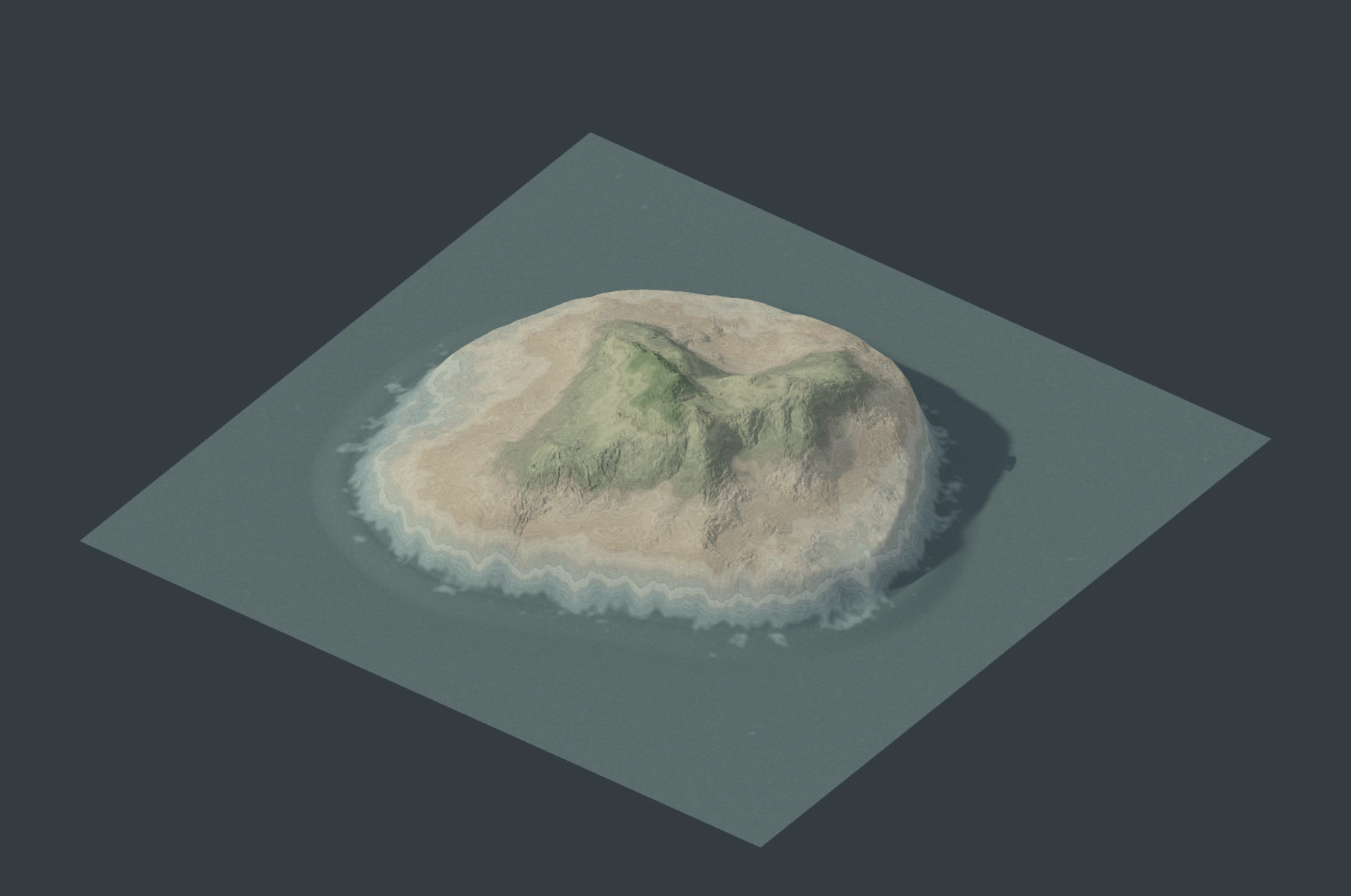
Island Outline: Sea Level sets the coastline. Coast Width controls its transition and beach band. Seabed Depth sets the exterior depth. Connect a Mountain, noise or another terrain to height to retain detailed interior relief; without height, Interior Height creates a level interior with a coastal transition.
Drawn Relief: Choose Ridge or Valley and adjust Height, Width and Sharpness. Apply erosion afterward for weathering and drainage detail.
Level Area: Target Height sets the interior elevation. Transition blends outside the contour. Cut and fill measure its earthworks.
Lake Outline: Water Level is flat; Basin Depth controls the minimum interior depth. Shore Width softens the basin boundary. The bed and shore use cut and fill to meet the drawn water boundary, including a raised rim where the source terrain is lower than the water level. Existing deep areas can remain deeper than Basin Depth. Small Basin Depth values on a level source produce shallow wet areas. Water Basin instead follows existing containment and spill levels.
Use the road, land, water, banks, beach and shore masks to drive Terrain Palette, Terrain ColorMap or Material Blend. Surface can also drive a separate mesh export for further Blender modeling. The terrain preview displays its selected height and color outputs; these nodes do not automatically create separate water objects.
Editing, preview and export
Poly and Bezier splines and their object transforms are supported. NURBS must be converted to Bezier. Drawing Field reads the authored spline points; Curve modifiers are not evaluated. Keep the drawing in the intended scene and terrain domain. Changing Terrain Size or Height Scale changes how a world-space drawing maps onto that terrain.
Control-point, handle, radius and transform edits update the affected preview branch. Other cached branches can be reused. Deleted or missing drawing objects and invalid open area contours appear as node-graph errors and clear the terrain preview.
Preview and export use the same drawings at their selected resolution. An 8K or 16K export can reveal finer detail in narrow features. Complex drawings and additional connected outputs increase calculation time and memory use.
Each Drawing Field supports up to 256 splines and 32768 authored points. Very long curves or heavily overlapping drawings can also exceed the complexity limit and show an error. Split such drawings into separate fields and combine their masks.