Curl Noise with Lifetime Color
Guide particles through a coherent curl field, control their response with drag, and update color continuously from birth to death.
Reference setup
Use 24 fps, Substeps 4, and play frames 1–120. Evaluation order: Curl Noise → Drag → Change Color. In Lists, arrange that order from the bottom upward. In Nodes, follow the particle links.
Use Volume Fill: Density for the Volume source so Rate controls emission.
| Part | Settings |
|---|---|
| Volume source | Sphere, Radius 0.4 m, centered at the origin |
| Emitter | Rate 350 /f, Start Frame 1, Duration 80, Lifetime 144 frames |
| Particles | Radius 0.008 m, Radius Random 0, Initial Velocity (1, 0, 0) |
| Curl Noise | Force, Classic Curl, Strength 2, Scale 2, Speed 0, Octaves 1, Seed 17 |
| Drag | Coefficient 2 |
| Change Color | Advanced Color: Age, Normal, RGB |
| Age ramp | Blue at 0, green at 0.5, orange-red at 1 |
| Point Cloud | Blender Geometry, fixed display Radius 0.018 m, particle Color |
| Trails | Blender Geometry, Particle Trails, Length By Time, Length 48 frames, Frame Sampling 4, Style Tube, Tube Sides 6, Constant Thickness 0.006 m, Particle Color |
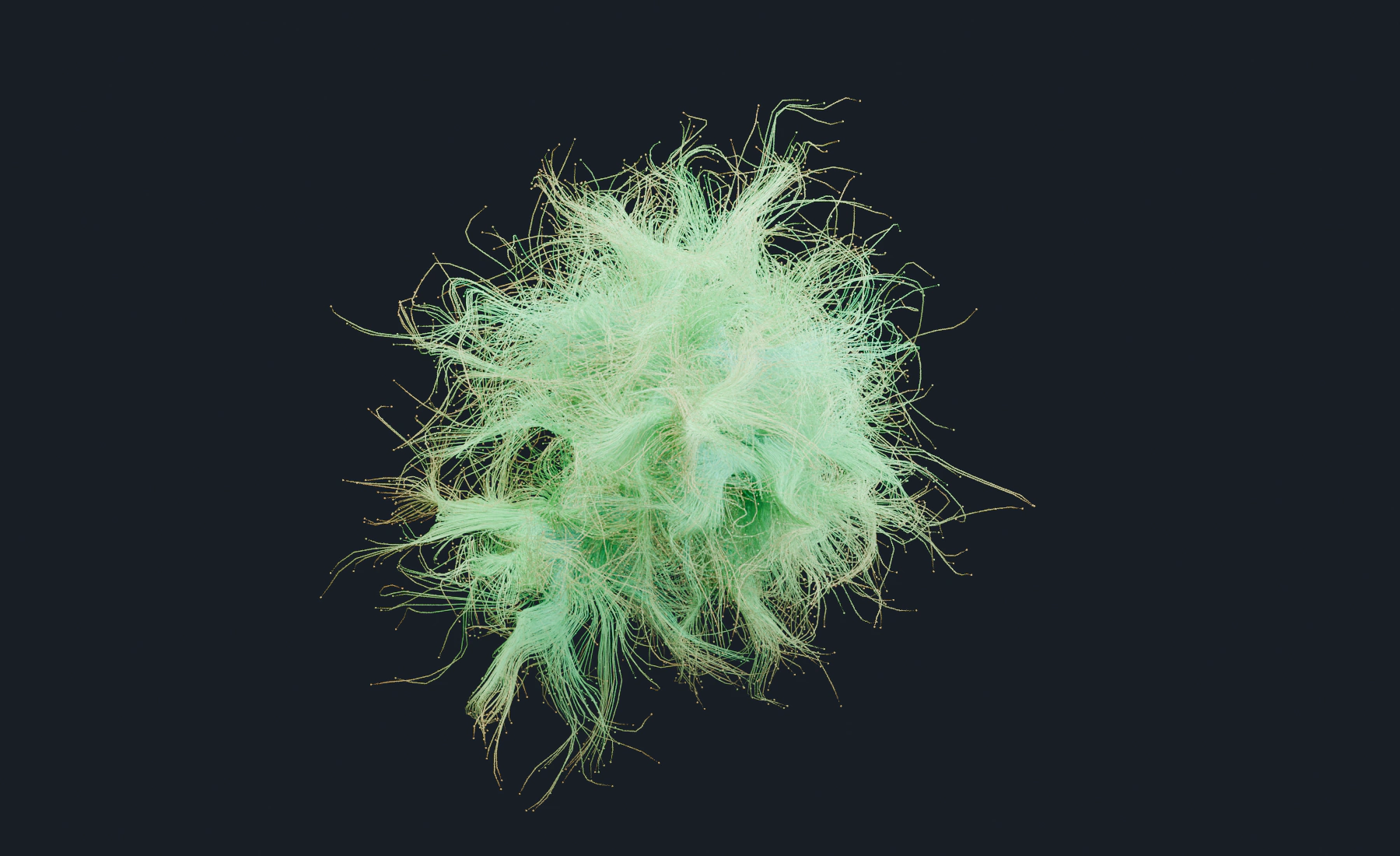
At frame 60, particles are still emitting. At frame 120, the earliest particles should be farther along the age ramp than the last emitted particles. No particles have reached the 144 frame lifetime yet. The fixed preview size changes visibility without changing physical particle Radius.
1. Set up the particle stream
- Start a new Lists system. Add a UV sphere named
Flow Source, Radius0.4 m, at the origin, and apply Scale. - Assign it as the Emitter's Volume source, Density fill. Set Rate
350 /f, Start Frame1, Duration80, Lifetime144frames, and lifetime Variation0. - Set Radius
0.008 m, Radius Random0, Initial Velocity(1, 0, 0), Surface Push0, and Random Velocity(0, 0, 0). - Keep Point Cloud using Particle Color. Configure its final display and Trails after the motion effects below.
Give particles enough time to travel around the curls. Tune Lifetime, speed, Curl Strength, Scale and Drag together.
2. Shape the motion with Curl Noise
- Add Curl Noise, choose Force mode and Classic Curl.
- Set Strength
2, Scale2, Speed0, Octaves1, and Seed17. - Keep Projection: 3D for this scene.
Force mode changes speed as well as direction. Scale controls the size of the curl features; higher values make larger features. Speed 0 keeps the field's spatial pattern stationary while particles move through it. Further noise types and octaves are useful variations after this basic motion is established.
3. Control momentum with Drag
- Add Drag after Curl Noise.
- Set Coefficient
2.
Force-mode Curl Noise continually adds motion while Drag removes momentum. Their balance determines how quickly particles travel through the curls. If motion becomes too slow, reduce Drag before raising Curl Strength. Direction mode preserves speed and usually needs less Drag.
4. Change color with particle age
- Add Change Color after the motion effects, enable Use Advanced Color, and add an Age layer.
- Set the Color Ramp to blue at
0, green at0.5, and orange-red at1, with alpha1and Linear interpolation. Use Normal and RGB to replace the particle color with the ramp.
The ramp's left side is birth and its right side is the end of particle life. For the illustration's palette, use sRGB hex colors #2795FF, #30FF95, and #FF5027 respectively.
Use Change Color for the age gradient. Emitter color is assigned at birth; Change Color updates it while the particle lives.
5. Nodes version
- Connect the Emitter stream through Curl Noise and Drag.
- Add an Advanced Color node set to Age and connect its Color output to the Change Color node's color input.
- Connect Change Color's particle output to Point Cloud, Trails and Simulation Output / Particles. Connect both post-effect Result outputs to Simulation Output / Geometry.
- For a second color operation, connect the first Advanced Color output to the next node's Base Color.
In Nodes, connect the same color branch to several compatible inputs. Motion still follows particle-stream links, while Advanced Color uses its separate typed Color links.
6. Configure output and material
- Set Point Cloud to Blender Geometry, fixed Radius
0.018 m, and Particle Color. Leave Material empty to use its automatic color material. - Add Trails, Blender Geometry, with the values in the reference table. Use a material with an Attribute node, type Geometry, Name
col, Color connected to Principled BSDF Base Color. Lesson 6 shows the material steps. - Play from frame
1through120. New particles stop appearing after frame80; the existing paths continue curling and changing color. Save the setup before trying the variations below.
Check color in the render as well as the particle preview. A material that does not read the particle color attribute will show its own fixed color.
7. Tune the style
- Large, calm arcs: Increase Curl Scale, use fewer Octaves, and reduce animation Speed.
- Fine turbulent paths: Reduce Scale, add Octaves, and increase Persistence carefully.
- Stable speed with curved paths: Use Direction mode.
- Acceleration and deceleration inside the field: Use Force mode and balance Strength with Drag.
- Planar ornamental motion: Choose a planar Projection and emit near that plane.
- Color bands that travel with age: Move ramp stops closer together for faster transitions.
- Spatial color breakup: Chain Noise after Age and use Multiply, Overlay, or one HSV Target.
Troubleshooting
- Particles cut straight through the field: Increase Curl Strength, reduce inherited velocity, or increase Drag in Force mode.
- Particles barely move: Drag is too high, Curl Strength is too low, or the particles started without speed while Direction mode is preserving that near-zero speed.
- The motion is noisy rather than swirling: Increase Scale, reduce Octaves, or use Classic/Smooth Curl.
- Speed grows without control: Use Direction mode or increase Drag.
- The age ramp stays at one color: Confirm Advanced Color is connected to or configured on Change Color and that Lifetime is nonzero.
- The render ignores particle color: Confirm the final material reads
colon the Geometry domain.
See Forces and Advanced Color for the complete controls.